
AI Coding Terminals On Mobile
Keypress connects your phone to your AI coding terminals so you can stay productive on the go, monitor sessions, and send follow-ups from anywhere.
 iOS
iOS Android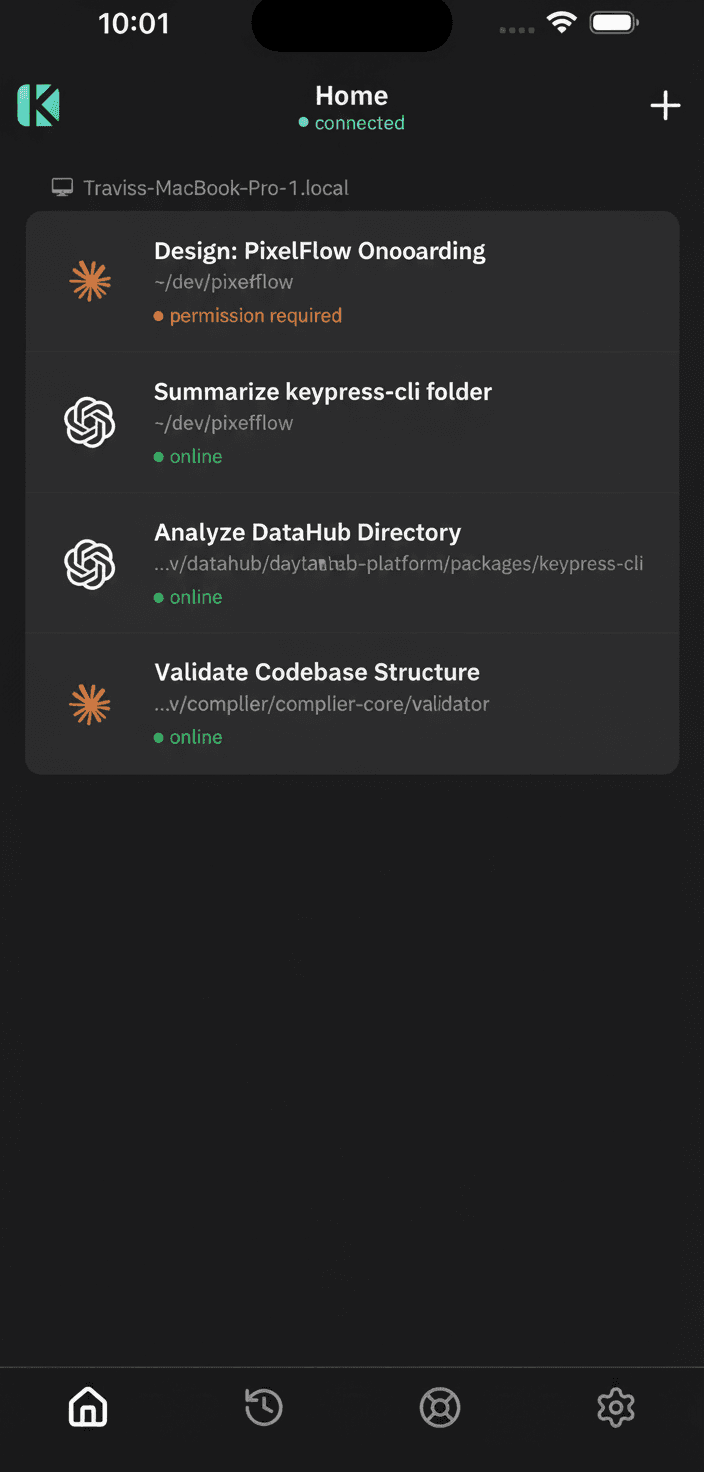
How Keypress Works
Connect your terminal to mobile coding so you can keep building on the go.
Install Keypress
Install the Keypress terminal and keep your local AI tools in place.
Login from Terminal
Run `keypress login` and connect the session from your phone.
Launch Your Tool
Choose a terminal tool such as Claude or Codex
Keep Going On Mobile
Watch live activity, send follow-ups, and respond to prompts anywhere.
Mobile Coding
Keypress pairs your terminal with a secure mobile app so you can keep coding on the go.
Connect Sessions Securely
Login once and connect terminal sessions from your phone with a single tap.
Live Session Status
See what tool is running, where it is running, and the latest activity.
Send Follow-Ups
Trigger commands and follow-up instructions without touching your laptop.
Review Session History
Replay what happened and pick up where you left off.
Supported AI Tools
Keypress connects your favorite terminal coding tools to your phone.

Claude Code
Run Claude Code through Keypress and keep sessions in sync from your phone.

OpenAI Codex
Launch Codex with Keypress for live session status and on-the-go follow-ups.

Gemini CLI
Connect Gemini CLI sessions and follow progress from your phone.

OpenCode CLI
Run OpenCode CLI sessions and respond to tool prompts anywhere.

GitHub Copilot CLI
Kick off Copilot CLI tasks and track progress in real time.

Grok CLI (coming soon)
Start Grok CLI sessions and respond to prompts on the go.
Keypress Use Cases
Keep AI sessions running on your machine while you stay productive on the go.
Remote Pair Building
Kick off code generation on your laptop and guide it from your phone while on the move.
Session Monitoring
Keep tabs on multiple CLI sessions and see which tool is running where.
Prompt Responses
Respond to confirmations or choices without interrupting your flow.
Long-Running Tasks
Start builds, migrations, or research tasks and check progress anywhere.
Remote Fixes
Send follow-up commands to fix, refine, or continue a session remotely.
Session History
Review what happened and return to a session with context intact.